21 Best AI Tools for Digital Marketing in 2026: SEO, Content, Social Media & Ads

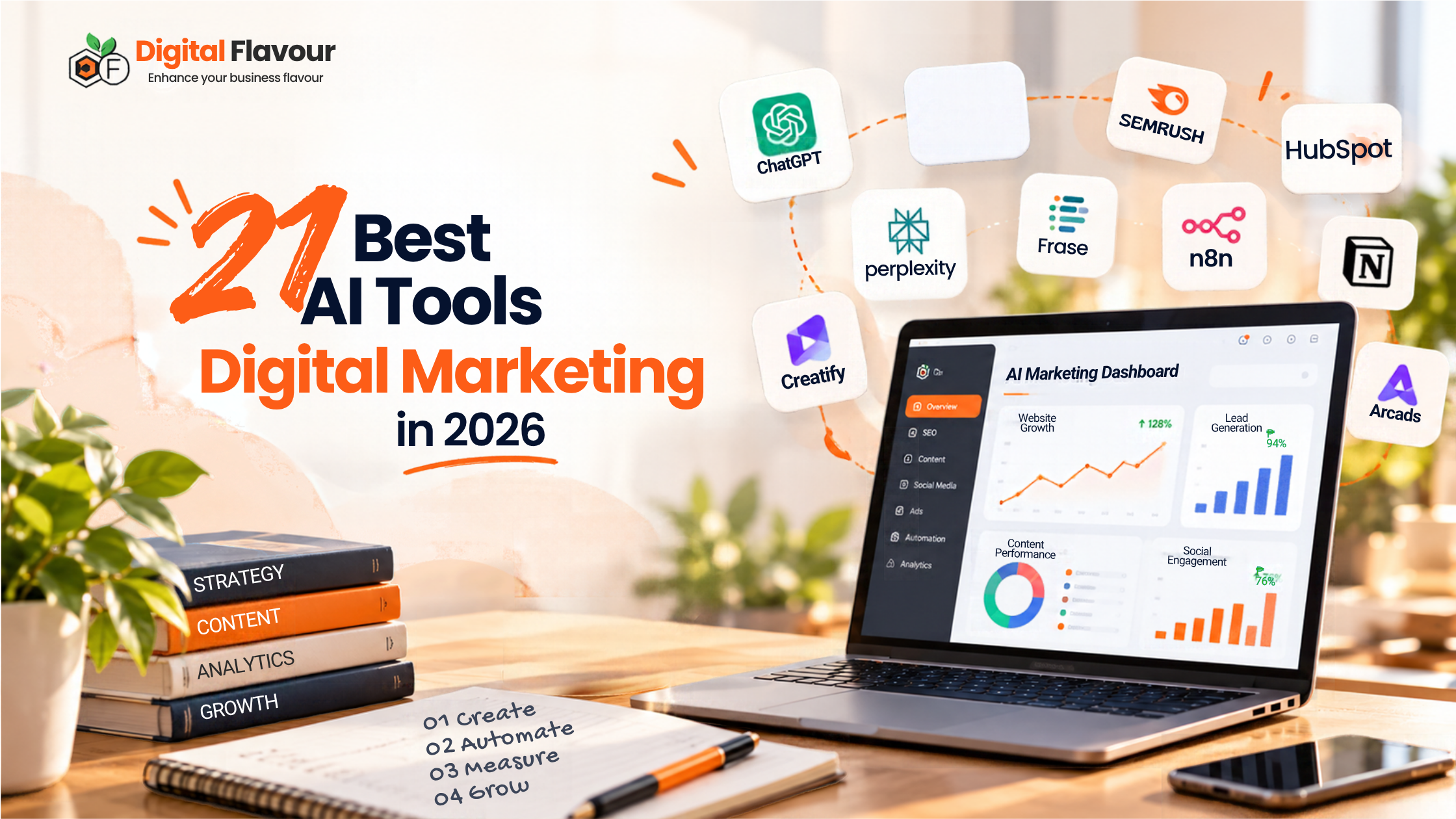
Table of Contents
Introduction
The biggest challenge in digital marketing isn’t finding another tool. It’s figuring out which tools are actually worth using.
One platform helps with keyword research. Another monitors brand mentions in AI search. A third generates video ads, while a fourth automates social media publishing. Before long, your marketing stack can become expensive and complicated without making the work much easier.
The solution isn’t to adopt every new AI product. It’s to identify where your team loses time, determine which tasks can be improved, and choose tools that fit the way your business operates.
We’ve organized 21 AI and AI-assisted marketing tools by the jobs they can help with, from SEO and content research to creative production, automation and analytics.
You don’t need all 21. In fact, the best starting point is usually one tool that solves a clearly defined problem.
Our approach: This is a research-led guide based on product information and documented use cases, not a claim that Digital Flavour has independently tested every product. Features, pricing and availability can change, so verify current details with each provider before purchasing.
Quick comparison: Which AI marketing tools should you consider?
| Tool | Main use | Best reason to explore it |
| Peec AI | AI search visibility | Understand how your brand appears in tracked AI responses |
| Otterly.AI | AI search monitoring | Monitor brand mentions and citations |
| Profound | AI search intelligence | Investigate brand presence across AI search experiences |
| AirOps | SEO and content workflows | Connect research and content operations |
| Keyword Insights | Keyword clustering | Organize keywords into potential content groups |
| Frase | Content research | Research and optimize search-focused content |
| LowFruits | Keyword discovery | Find potentially less competitive search opportunities |
| Firecrawl | Website data extraction | Collect structured information from websites |
| Gumloop | AI workflow automation | Build connected AI-assisted processes |
| n8n | Workflow automation | Connect apps and APIs with customizable workflows |
| Creatify | Video advertising | Create AI-assisted video ad concepts |
| Orshot | Creative automation | Generate branded visuals from templates |
| Arcads | AI actor videos | Explore actor-style advertising creatives |
| Blotato | Social content workflows | Create and distribute content across channels |
| FeedHive | Social media management | Plan, create and schedule social content |
| Repurpose.io | Content distribution | Republish existing content across supported platforms |
| Clay | B2B prospect research | Enrich data and organize prospect research |
| Common Room | Go-to-market intelligence | Connect customer signals to sales workflows |
| RB2B | B2B visitor intelligence | Explore supported website visitor identification |
| Pencil | Ad creative | Investigate AI-assisted ad creative capabilities; verify current status |
| PostHog | Product analytics | Understand user behaviour across digital products |
These products don’t all belong to the same category. Some are AI-native; others use AI within a broader workflow, while a few are adjacent tools that help marketers collect data, distribute content or measure results.
That distinction matters when comparing products. A content research platform and a workflow automation platform may both use AI, but they solve different problems.
1. AI search visibility tools
People increasingly use AI-powered search experiences to explore questions, compare options and discover brands. For marketers, the practical challenge is understanding whether their brand appears in relevant answers and which sources support those answers.
AI search monitoring can help with that investigation, but a visibility metric is not proof of leads or revenue. Treat it as one input into your marketing decisions.
1. Peec AI – for AI search visibility monitoring
Peec AI is worth exploring if you want to monitor how your brand appears in tracked AI search responses.
For example, a digital marketing agency could investigate questions such as “Which agencies help local businesses improve SEO?” or “What should a small business look for in an SEO provider?”
The useful information isn’t simply whether your brand appears. You also want to understand which competitors are mentioned, what sources are referenced and how the results change over time.
Before choosing it: Verify supported AI platforms, reporting metrics, prompt coverage and how frequently data is refreshed. Visibility and share-of-voice metrics are useful for monitoring, but they do not independently demonstrate business impact.
2. Otterly.AI – for monitoring AI brand mentions
Otterly.AI focuses on AI search visibility monitoring and related research workflows.
A marketer might use it to investigate how their brand appears for a defined set of customer questions, then review the sources and competitors associated with those answers.
That can help identify topics worth investigating further. It does not automatically reveal why a brand was mentioned or guarantee that publishing a particular page will earn a citation.
Before choosing it: Check current platform coverage, monitoring limits, citation reporting and the features available in the plan you need.
3. Profound – for AI search intelligence
Profound is another option for businesses investigating their presence across AI-generated answers and search experiences.
Consider a software company that wants to understand whether it appears when potential customers compare competing products. The important questions include which brands appear, which sources are cited and whether the monitored questions reflect real buying decisions.
A broad brand mention may be less commercially useful than appearing in a relevant product comparison. Your measurement plan should reflect that difference.
Before choosing it: Confirm current platform coverage, reporting capabilities, data methodology and whether the insights justify the cost for your team.
How to choose between the three: Start with a defined set of customer questions and decide what you need to measure. Choose the platform that gives you the most actionable information for your budget rather than paying for overlapping monitoring subscriptions.
2. SEO and content research tools
AI can accelerate research and content operations, but it doesn’t remove the need to check search intent, evaluate evidence or make editorial decisions.
4. AirOps – for connected SEO and content workflows
AirOps is worth evaluating if your team wants to connect research, content operations and AI-assisted workflows.
Imagine refreshing a group of service pages. Your team could identify pages requiring attention, gather supporting information, prepare a content brief and send proposed changes to an editor.
The important step is human review. An automated workflow should help your team execute sound decisions, not approve every recommendation without checking it.
Best fit: Teams managing repeatable SEO and content processes.
Before choosing it: Evaluate integrations, workflow configuration, quality controls and how much maintenance the process will require.
5. Keyword Insights – for keyword clustering
Keyword Insights can help organize large keyword lists into potential content groups.
Suppose you’re planning content for a plumbing business. Several keywords may appear similar, but that doesn’t automatically mean they deserve the same page. Search results, intent and the services offered all influence the decision.
Use clustering as a planning aid, then inspect the actual search results before finalizing the site structure.
Best fit: SEO teams working with large keyword exports or content plans.
Before choosing it: Review the resulting clusters manually and confirm that the data reflects your target market.
6. Frase – for content research and optimization
Frase supports search-focused content research and optimization workflows.
A good content brief should help a writer answer the reader’s question, not merely produce a list of related terms. For a buyer’s guide, that may mean researching specifications, common objections, product differences and claims that require evidence.
Frase can support the research process, but the writer still needs to assess the quality of the information and decide what the reader genuinely needs.
Best fit: Teams that want a more structured content research process.
Before choosing it: Check the current features and make sure the recommendations improve the content rather than encouraging unnecessary length.
7. LowFruits – for finding keyword opportunities
LowFruits focuses on keyword discovery and identifying potentially less competitive search opportunities.
A smaller business may find it difficult to compete for broad terms such as “digital marketing.” More specific queries related to a service, location or customer problem may offer a more realistic starting point.
However, low competition alone doesn’t make a keyword valuable. Relevance, search intent and commercial potential still matter.
Best fit: Smaller websites and SEO teams looking for long-tail keyword opportunities.
Before choosing it: Validate the search results and prioritize queries that align with the services or products you actually offer.
8. Firecrawl – for website data extraction
Firecrawl provides website crawling and data extraction capabilities that can support research and automation workflows.
For example, a team researching competing service pages might collect publicly accessible information, organize it into a structured dataset and identify topics for further analysis.
Extraction is not the same as interpretation. The data can be incomplete, pages may change, and the information still needs to be reviewed before it informs a marketing decision.
Best fit: Teams that need repeatable website-data collection or developer-supported research workflows.
Before choosing it: Review crawling limits, output formats, technical requirements and applicable permissions.
3. AI workflow automation
Automation is most useful when a task happens repeatedly, follows clear rules and consumes measurable time. If a process is poorly defined, automating it may simply produce errors faster.
9. Gumloop – for no-code AI workflows
Gumloop is worth exploring if you want to connect AI tasks and applications without building every workflow from scratch in code.
A marketing team might use a workflow to categorize customer questions, organize research or route incoming information to the right person.
Start with one small task and measure the time saved. Don’t automate a process simply because automation is available.
Before choosing it: Test integrations, error handling, usage limits and human approval steps.
10. n8n – for customizable automation
n8n connects applications, APIs and AI-related services through customizable workflows.
A possible use case is lead handling: collect a form submission, validate required fields, enrich relevant information and route the record to a CRM.
That process needs clear rules for duplicate records, missing data and failures. Otherwise, automation can create additional work for the team.
Best fit: Teams that need more control over integrations and workflow logic.
Before choosing it: Consider hosting, security, API costs, maintenance and the technical expertise needed to keep workflows reliable.
4. AI video ads and creative production
Creative tools can make it easier to explore different advertising concepts. The goal should be to test meaningful differences in messaging, not simply generate more assets.
11. Creatify – for AI-assisted video ads
Creatify is worth investigating if your team wants to develop video advertising concepts with AI-assisted production.
For an ecommerce campaign, different videos might lead with a product demonstration, a customer problem or a specific benefit. Each version tests a different message.
Changing only the background or visual style may not reveal much about audience preferences if the underlying message remains identical.
Best fit: Teams that need to develop and test video-ad concepts.
Before choosing it: Check export formats, commercial usage rights, supported platforms and the amount of editing required.
12. Orshot – for automated branded graphics
Orshot focuses on generating graphics from reusable templates and structured inputs.
An agency creating campaign visuals for multiple clients could use template-based production to reduce repetitive design work while maintaining consistent layouts.
The important distinction is between automating production and automating creative judgement. A generated graphic still needs to meet brand, readability and accessibility standards.
Best fit: Teams that regularly produce repeatable branded visuals.
Before choosing it: Verify template flexibility, output formats and integration requirements.
13. Arcads – for AI actor-style videos
Arcads is associated with AI-generated actor-style video creatives for advertising.
A marketer might explore different opening hooks for a short video: one that addresses a common problem, another that demonstrates a product, and a third that answers an objection.
The messaging still needs to be credible. AI-generated actors should not be presented as real customers or used to imply genuine experiences that never occurred.
Best fit: Teams experimenting with actor-style video advertising.
Before choosing it: Check current capabilities, usage rights, language support and advertising disclosure requirements.
14. Pencil – AI-assisted advertising creative
Pencil has been associated with AI-assisted advertising creative. However, product availability and positioning can change, so its current status and offering must be confirmed before publication.
The underlying use case is worth considering: advertising teams need to develop creative variations and understand which messages deserve further testing.
Editorial recommendation: Keep this entry only if the official product information confirms an active offering that fits the article. Otherwise, replace it with a verified alternative rather than recommending a product based on outdated information.
5. Social media and content distribution tools
Repurposing can reduce repetitive production work, but publishing the same content everywhere isn’t a complete social strategy. The central idea should remain consistent while the format and message fit each channel.
15. Blotato – for social content workflows
Blotato is worth exploring for workflows that combine content creation, repurposing and social publishing.
A detailed blog post might provide the source material for a LinkedIn insight, a short video outline and several social posts.
Each asset still needs editing for its audience. A LinkedIn post may require a business takeaway, while a short video needs an opening that works when spoken aloud.
Best fit: Teams that regularly repurpose content across channels.
Before choosing it: Check supported platforms, publishing features and how much manual editing is required.
16. FeedHive – for social media management
FeedHive offers social media management with AI-assisted creation and automation features.
It may help teams organize content planning, prepare drafts, schedule posts and maintain a more consistent publishing workflow.
The value isn’t simply generating captions. It’s reducing repetitive work while preserving brand voice and giving the team a clear approval process.
Best fit: Businesses and agencies managing multiple social accounts.
Before choosing it: Verify current platform integrations, analytics, approval workflows and plan limits.
17. Repurpose.io – for distributing existing content
Repurpose.io focuses on repurposing and distributing content across supported platforms.
It may suit businesses that already publish recurring videos, podcasts or other content and want to distribute that material more efficiently.
However, automatic distribution isn’t the same as adapting content for a platform. A long video may need a different edit, context or opening to work as a short clip.
Best fit: Creators and teams with an existing source of regular content.
Before choosing it: Check source and destination support, formatting controls and publishing rules.
6. B2B prospecting and go-to-market intelligence
B2B prospecting can involve collecting company information, evaluating fit and preparing relevant outreach. These tools can help organize parts of the process, but they cannot guarantee lead quality.
18. Clay – for prospect research and enrichment
Clay helps teams build workflows around prospect data, enrichment and research.
For an agency targeting businesses in Australia, a research process might organize companies by industry, location and other relevant criteria before a person reviews the list.
The quality of the result depends on the data and the selection criteria. A well-organized spreadsheet is not necessarily a list of good prospects.
Best fit: Teams that repeatedly research and enrich B2B prospects.
Before choosing it: Review data coverage, enrichment costs, integrations and applicable privacy requirements.
19. Common Room – for go-to-market intelligence
Common Room is associated with go-to-market intelligence and workflows that help teams interpret customer and account signals.
A software company might use relevant signals to prioritize accounts for follow-up. The important question is whether those signals provide enough context to support a useful next action.
A single interaction doesn’t automatically indicate buying intent. Combine signals with account fit and other evidence before prioritizing outreach.
Best fit: Teams that need to connect supported customer signals with account workflows.
Before choosing it: Verify current data sources, integrations and how the platform defines the signals it reports.
20. RB2B – for B2B visitor intelligence
RB2B is associated with B2B website visitor identification.
Businesses evaluating this category typically want to understand which companies or people may be visiting their websites and whether the resulting information can support an appropriate sales process.
Identification isn’t complete attribution. It doesn’t automatically explain why someone visited, whether they are a decision-maker or whether they want to be contacted.
Best fit: Businesses with a defined B2B prospecting process and a legitimate use for visitor intelligence.
Before choosing it: Check coverage, accuracy, data provenance, integrations and applicable privacy obligations.
7. Analytics for digital products
21. PostHog – for understanding user behaviour
PostHog is a product analytics platform rather than an AI-native marketing tool. It belongs in this guide because marketers need to understand what happens after a campaign attracts a visitor.
A SaaS company might examine the journey from a campaign landing page to account creation and identify where users stop progressing.
The usefulness of that analysis depends on good event definitions, appropriate tracking and a clear understanding of the metrics being measured.
Best fit: Teams that need to investigate user journeys and product behaviour.
Before choosing it: Review the analytics features you need, implementation requirements and data governance.
How to choose the right AI marketing tools
You don’t need a separate platform for every marketing task. Before buying anything, identify the specific bottleneck you want to solve.
Use the Marketing Workflow Fit Framework
We recommend asking five questions before adding a tool to your stack.
- Job fit: What problem does it solve?
- Evidence quality: Can you verify the information or output it provides?
- Workflow fit: Does it work with your existing systems and processes?
- Total effort: How much time will setup, review and maintenance require?
- Measurable outcome: What should improve, and how will you measure it?
This is a practical selection framework, not a laboratory ranking of the 21 products.
For example, an AI search monitoring platform may reveal that your brand rarely appears for important customer questions. The tool has helped identify a possible problem, but your team still needs to investigate the sources, improve the relevant content and check whether visibility changes.
Likewise, a content automation platform may produce drafts quickly, but its real value depends on how much editing and fact-checking those drafts require.
Choose tools by the work they improve, not by the AI label.
Calculate the value before committing
A subscription price alone doesn’t tell you whether a tool is worth using.
Consider setup time, training, usage limits, maintenance and manual correction alongside the subscription fee.
A simple starting point is:
Estimated monthly time saved = time saved per task × number of tasks per month
Then subtract the time needed to review and maintain the workflow. Compare the remaining benefit with the full cost of the tool.
For instance, saving ten minutes on a task performed twice a month may not justify a complicated automation. Saving ten minutes on a task performed hundreds of times may be a different story.
Treat the calculation as an estimate. Run a small pilot and record what actually changes.
A practical example: from AI visibility data to marketing action
Suppose you’re responsible for SEO at a service business and want to understand whether your brand appears when potential customers ask AI platforms for recommendations.
Start with a small set of customer questions. Record the brands and sources that appear, then review your own service pages and supporting information.
You might discover that your website explains its services clearly but offers little evidence to support its claims. Or you may find that important customer questions are answered only indirectly.
Those findings provide a more useful starting point than a visibility score alone.
Next, improve the relevant pages with accurate service information, useful explanations and supporting evidence. Recheck the same questions and compare the results over time.
Treat this as directional monitoring, not a controlled ranking experiment. AI responses can vary, and changes in visibility do not automatically translate into website traffic, enquiries or revenue.
The tool helps you observe the problem. The value comes from how well you interpret the evidence and what you do next.
Frequently asked questions
What are AI marketing tools?
AI marketing tools are software products that use AI to assist with tasks such as research, content production, creative development, automation, analytics or customer engagement. Some are AI-native, while others add AI features to broader marketing platforms.
Which AI marketing tools should a small business start with?
Start with the task that consumes the most time or creates the clearest business problem. Depending on your needs, that could be keyword research, content planning, social publishing, lead research or analytics. Avoid paying for overlapping products before you know which capability is missing.
Can AI tools replace digital marketers?
AI can accelerate specific tasks, but marketing still requires strategy, audience understanding, creative judgement, quality control and accountability for results. The more useful question is which parts of a workflow can be improved without reducing the quality of the work.
Is AI-generated content bad for SEO?
Not automatically. Google’s guidance focuses on content quality, accuracy, relevance and usefulness rather than simply whether AI was involved. Using automation to produce large amounts of low-value content primarily to manipulate search rankings can violate Google’s spam policies.
Do I need a separate tool for AI search visibility?
Not every business does. Start by defining the questions that matter to your audience and what you need to measure. A dedicated monitoring platform may help if its information changes your content or marketing decisions.
How often should I review my marketing tools?
Review your stack periodically and whenever your workflows, costs or business goals change. Look for unused subscriptions, overlapping capabilities and processes that no longer justify the time or money invested.
Final thoughts
The best AI marketing tools aren’t necessarily the ones with the most impressive demonstrations. They’re the ones that solve a real problem in your workflow and leave your team with more time for decisions that require human judgement.
For one business, that might mean organizing keyword research more efficiently. For another, it could mean understanding AI search visibility, producing creative variations or improving how sales teams research potential customers.
Start small. Define the problem, choose one workflow, measure what changes and keep the parts that genuinely help.
At Digital Flavour, we believe technology should support a clear marketing strategy, not replace it.
If your business needs help with SEO, content strategy or improving its online visibility, request a strategy consultation.
Need Help with Your Digital Marketing?
Let our experts help you achieve your business growth goals with proven strategies.
Get Free Consultation